
Windows Tips

6 Ways To Run App/Program As Different User (RunAs) In Windows 11/10
The RunAs option in Windows allows you to run an app, program, script, or file as another user…

2 Ways To Download And Install Appx/AppxBundle Files From Microsoft Store [Offline Installation]
You can download the Appx/AppxBundle files for Microsoft Store apps and install them offline. This can be accomplished…

What Is Microsoft Defender Application Guard And How To Enable It
Microsoft Defender Application Guard keeps web browsing whose URLs are not whitelisted isolated using Hyper-V virtualization. Yu can…

What is Wireless Display In Windows And How To Project/Cast Your Screen
The Wireless Display feature allows you to project your screen onto other wireless devices, or alternatively, project screens…

How To Use Microsoft Quick Assist In Windows 10/11 For Remote Desktop Connection
Quick Assist is a Microsoft application used to establish remote desktop connections over the internet and can be…

How To Back Up And Restore Wi-Fi Profiles And Passwords On Windows
Backing up and restoring your wireless network profiles along with passwords eliminates the need to remember them when…
How To Enable Or Disable Windows Defender Credential Guard In Windows 11/10
The Credential Guard is automatically enabled in Windows 10 alongside Hyper-V. However, in Windows 11, it is enabled…

How To Find All Startup Programs In Windows
The items inside the Startup Programs start automatically as soon as you sign in. However, they are stored…

3 Ways To Set Default Printer In Windows 11/10
The most convenient way to check your default printer is by running the “wmic printer get name,default” command,…
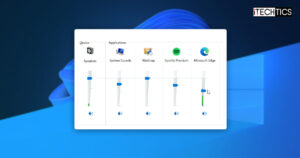
How To Adjust Volume And Bass In Windows 11/10
Microsoft previously included an equalizer in the Windows OS. However, since it has been removed, here are other…
Search and Discover More