

⭐Overview & Concepts
Windows 10 Configuration and Deployment
How To Change Boot Menu Timeout in Windows 11, 10How To Reset Audio Settings In WindowsHow To Install, Backup and Restore Windows 10 DriversEnable Metered Connections In Windows 8/8.1/10 To Save Internet Bandwidth10 Tools To Check Every Hardware Detail Of Your Computer In WindowsForce File Explorer to open to This PC instead of Quick Access5 Ways To Find All Saved Wifi Passwords In Windows, MacOS & Android3 Ways To Disable Windows Updates In Windows 10How to Sync Multiple Google Drive Accounts in Windows 10How To Show Folder Size In Windows
Windows 10 Troubleshooting and Management
How To Clear Memory Cache On Windows2 Easy Ways To Manage Environment Variables in Windows 10How to Detect And Install Missing Audio and Video Codecs In WindowsHow To Identify Which Programs Are Making Sound In Windows4 Ways To Start Windows 8/8.1 In Safe ModeForce File Explorer to open to This PC instead of Quick Access5 Ways To Find All Saved Wifi Passwords In Windows, MacOS & Android6 Ways To Run Programs As Administrator In Windows 11/103 Ways to Show/Hide Security Tab in Windows 106 Free Tools To Backup Data in Windows Including File History and Backup and RestoreDiagnose And Fix Slow System Performance Issues With WhySoSlow
Windows 10 Security and Privacy
How To Disable UAC Remote Restrictions With LocalAccountTokenFilterPolicyHow To Disable User Account Control In Windows (Locally + Remotely)How To Kill Process From Windows Command Line4 Ways To Add User To Local Administrators Group In WindowsHow To Remove Pendrive Shortcut Virus From Your USB Drive And ComputerRemove Windows 10 Product Key From Registry To Make It Invisible3 Ways To Disable Automatic Driver Updates In Windows 10How To Remove Password Complexity Requirements In Windows 11, 10How To Manage Windows PIN Complexity SettingsEnable, Disable Or Delete Built-In Administrator Account In Windows 10How To Enable Or Disable Windows Defender Credential Guard In Windows 11/10
Latest in Windows 10

How To Increase The Maximum Volume Beyond 100% In Windows
Amplify the sound volume with both native and third-party solutions on your Windows PC.

6 Tools To Check Every Hardware Detail Of Your Computer
If you are a Windows power user, you would definitely like to know more about your computer hardware…

10 Tools To Check Every Hardware Detail Of Your Computer In Windows
Sometimes it becomes essential to see what hardware is installed in your computer or laptop. We present a…
Remove Virus From USB Flash Drive Using Command Prompt (CMD)
If you use USB flash drives on different computers, there is a chance of your system getting infected…
How To Lock A Windows PC Without Logging Off
Locking the PC when you are away might save your device, data, and network from hacking. Learn the…
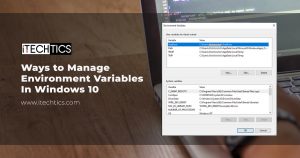
How To Manage Environment Variables in Windows
If you are not a Windows power user, chances are you have not heard about Windows environment variables,…
[jetpack_subscription_form title="Get Updates in Your Inbox" subscribe_text="Sign up for the regular updates and be the first to know about the latest tech information" subscribe_button="Subscribe"]