
Windows Tips

3 Ways to Restart Windows Explorer in Windows 10
There are times when Windows Explorer gets stuck or even the Start Menu or the task bar is…
4 Ways to Disable Windows 10 Automatic Restart
Utilize advanced System Properties and Group Policy to prevent Windows automatic restarts, particularly after Windows Updates or a…

How to Install RSAT Tools on Windows 10 (Version 1809 and Later)
RSAT Tools are available for installation on Windows 10 Version 2004. If you are using Windows 10 Version…

How to manage local users in windows 10 home Edition
Adding new users or managing existing users in Windows 10 is usually a routine procedure. However, unlike the…
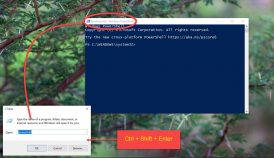
How to Always Run Command Prompt and PowerShell As Administrator
Using the Command Prompt or the Windows PowerShell with regular user rights can be sufficient. But sometimes you…

How to Access BIOS Information From Within Windows 10 (Without Restarting)
Every computer has a BIOS that starts the computer. We can configure different hardware settings in BIOS. To…

4 Ways to Disable Automatic window Resize Feature in Windows 10
Windows 10 comes with a nifty feature for arranging open windows by snapping into the corners of the…
How To Enable Sandbox Mode In Windows 10 Home Edition
Windows Sandbox is a feature introduced in Microsoft Windows 10 May 2019 update. This feature allows an individual…

All In One Runtimes: Install All Required Runtimes At Once In Windows 10
All In One Runtimes and Ninite are the two programs you can use to install all Runtime versions…

How To Convert MBR To GPT For Free In Windows 10 (Without Data Loss)
If you want to use UEFI boot mode instead of BIOS, you will need to convert MBR to…
Search and Discover More