

⭐Overview & Concepts
Windows 11 Configuration and Deployment
How To Disable User Account Control In Windows (Locally + Remotely)How To Unlink, Disable, Uninstall OneDrive In Windows 11How To Find Wi-Fi Password In Windows 11 From SettingsWindows Backup App: Cloud Backup And Restore On Windows 11Enable “Get The Latest Updates As Soon As They’re Available” in Windows 11How To Add, Manage VPN Connection In Windows Using PowerShellHow To Enable, Disable Enhanced Session Mode In Hyper-VWindows 11 troubleshooting and management:
How To View All User Accounts On Windows 115 Ways to Disable USB Selective Suspend in Windows 11How To Start, Stop, Restart, And Manage Windows ServicesHow To Work With Filesystems And Directories In PowerShellCheck For Listening (Open) Ports With NetStat And PowerShellHow To Disable UAC Remote Restrictions With LocalAccountTokenFilterPolicyHow To Reset Audio Settings In WindowsHow To Fix Windows Spotlight Not WorkingHow To Fix “Unidentified Network” Error On Windows 11/10How To Install & Fix Dolby Atmos In Windows 11Windows 11 Security and Privacy
Windows 11 Hardening GuideHow To Fix “Local Security Authority Protection Is Off” Error On Windows 11How To Enable Or Disable Windows Defender Credential Guard In Windows 11/10How To Show Hidden And Protected Files And Folders In Windows 11/10What Is BitLocker Recovery Key and How to Find ItHow To Manage BitLocker Using Command Line in Windows (Manage-bde)How To Disable Windows Defender On Windows 11 (Temporarily + Permanently)How To Block Malicious Drivers With Windows Security (Windows Defender)How To Block Or Allow Websites, IPs, Apps, And Ports Using Windows Firewall And PowerShellLatest in Windows 11

How To Check Command History in Command Prompt In Windows
See and save preview of latest commands entered in the command prompt. View command prompt history using these…
3 Ways To Prevent Command Prompt From Closing After Running Commands (Batch File Pause)
Whenever we run any batch file, the Command Prompt window will appear shortly, and it goes on simultaneously.…
How to Fix Keyboard Not Working Properly After Windows Update
When you update Windows 10 to the latest version, the keyboard sometimes doesn’t work, gets jammed or doesn’t…

6 Ways to Disable Telemetry and Data Collection in Windows 11/10
Most users are not comfortable sharing their activity or data on the computers with anyone, Microsoft included. However,…

How To Create Custom Environment Variables in Windows 10
Environmental Variables are dynamic objects which define different elements in a Windows environment. These variables can be used…

Change Default Installation Folder For Windows Apps
When we install new applications on our system, by default, they are installed in the system drive, which is…
5 Tools to Convert Files and Folders to ISO in Windows 10
An ISO image can contain the entire contents of a CD, DVD, or any other external drive. An…
4 Ways to Check If Windows Program Is 32 bit or 64 bit
Windows comes in two architectures, 32-bit and 64-bit. The difference between the two is the amount of memory…

3 Ways To Set Maximum Volume Limit in Windows 10
Smartphones have a very good feature related to maximum volume of the device. Android phones give a warning…
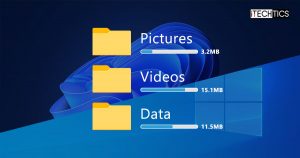
How To Show Folder Size In Windows
The File Explorer does not show the folder sizes by default; only the sizes of the file. There…