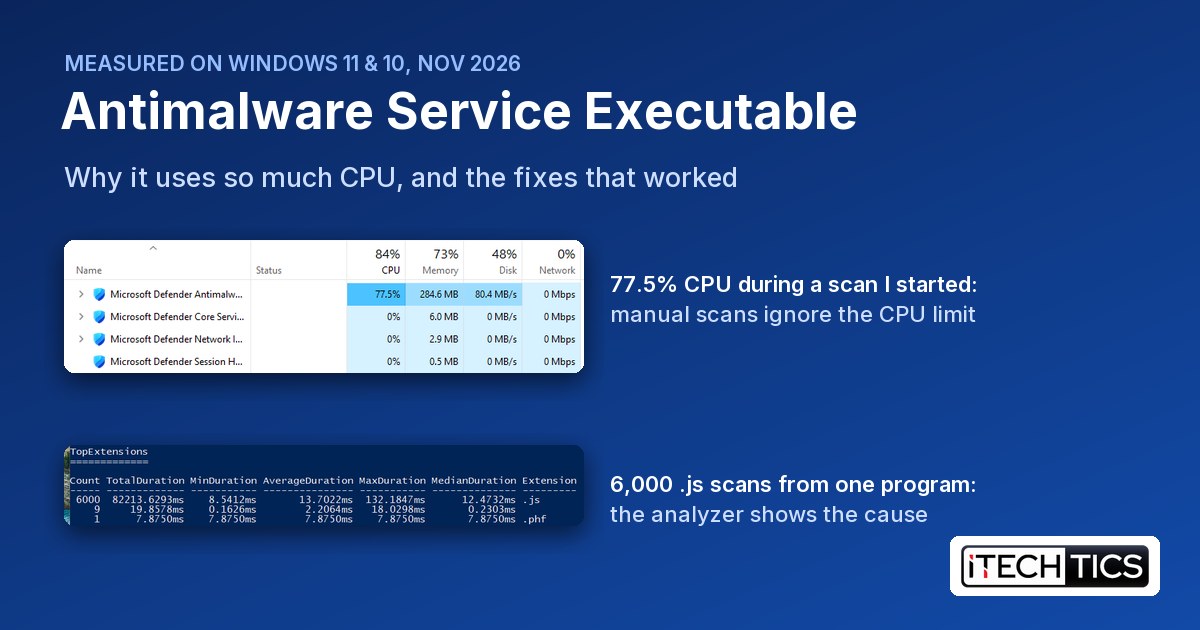
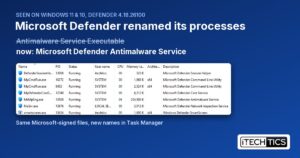

If you opened Task Manager recently to find out why your PC was slow and looked for Antimalware Service Executable, you may not have found it. On an up-to-date PC it’s now called Microsoft Defender Antimalware Service, and it isn’t the only Defender process with a new name.
Microsoft hasn’t announced the change, and its own documentation still uses the old names. I found it while testing Defender for my Antimalware Service Executable guide, then checked what else the same update changed on Windows 11 Home 26H2 and Windows 10 Home 22H2.
Old and new names
Task Manager shows each program’s file description as its name. Defender’s November platform update changed those descriptions:
| File | Old name in Task Manager | New name |
|---|---|---|
| MsMpEng.exe | Antimalware Service Executable | Microsoft Defender Antimalware Service |
| MpDefenderCoreService.exe | Antimalware Core Service | Microsoft Defender Core Service |
| NisSrv.exe | Microsoft Network Realtime Inspection Service | Microsoft Defender Network Inspection Service |
| DefenderSessionHelper.exe | (didn’t exist) | Microsoft Defender Session Helper |
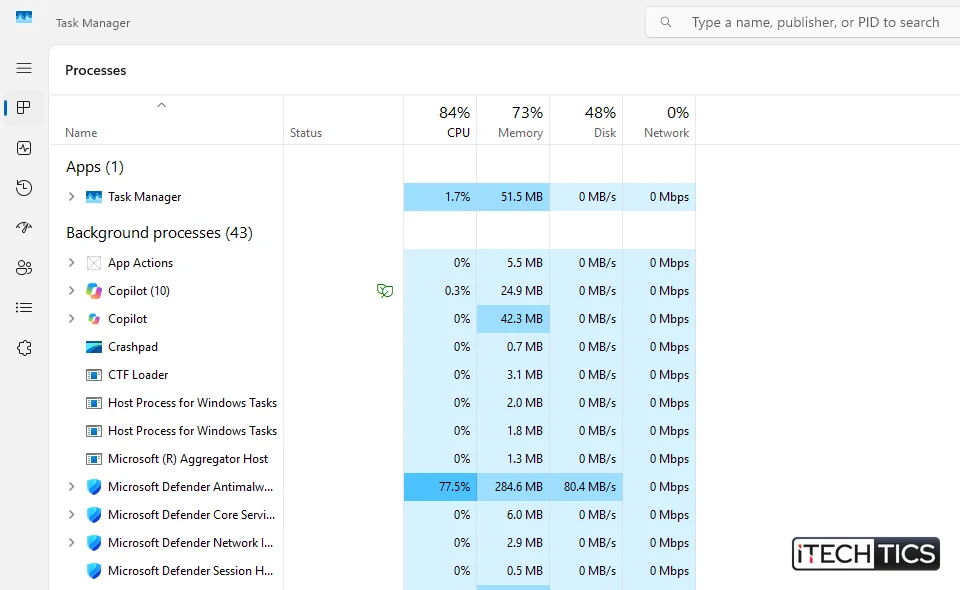
The files, their locations and their jobs are the same. Only the labels changed. The Details tab in Task Manager still lists the file names, so MsMpEng.exe is still the reliable thing to look for.
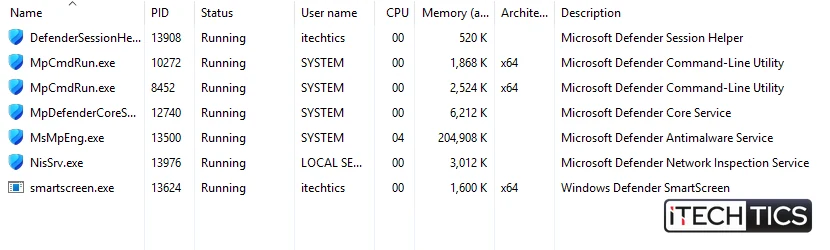
The background services keep their names too: Microsoft Defender Antivirus Service (WinDefend), Microsoft Defender Core Service (MDCoreSvc) and Microsoft Defender Antivirus Network Inspection Service (WdNisSvc). In Task Manager’s Processes tab you’ll see the service name when you expand the process.
Is it safe?
Yes. On both of my test PCs, every file with a new name was in Defender’s platform folder, C:\ProgramData\Microsoft\Windows Defender\Platform\4.18.26100.4-0\, and signed by Microsoft (Microsoft Windows Publisher, status Valid).
If you want to check your own PC, my Antimalware Service Executable guide has a two-line PowerShell check that reads the real path from the Defender service and verifies its signature. A file called “Microsoft Defender Antimalware Service” running from anywhere else, such as your user folder, is not Defender.
When it changed
Defender updates itself separately from Windows, so the names depend on your Defender version, not your Windows version:
- A clean install of Windows 11 26H2 started with Defender platform 4.18.25080.5, which still had the old names.
- After Defender updated itself to 4.18.26100.4, released on 17 November 2026 according to Microsoft’s update page, the new names appeared. Windows 10 22H2 got the same version and the same names.
Google search data suggests the change reached some PCs earlier. Searches for “microsoft defender antimalware service” went from about 10 a month to 5,400 in October 2026, while searches for “antimalware service executable” dropped from 90,500 to 40,500. I couldn’t test the Defender versions between 4.18.25080 and 4.18.26100, so I can’t say which one introduced the names.
To see your version, open Windows Security > Settings > About and look at Antimalware Client Version, or run Get-MpComputerStatus | Select-Object AMProductVersion in PowerShell.
The new AI files in Defender
The same update put three new programs in Defender’s folder on both home PCs:
| File | Description | Running on my home PCs? |
|---|---|---|
| DefenderAgentScan.exe | Microsoft Defender AI Agent Scanner | No |
| DefenderAiPlatformHost.exe | Microsoft Defender AI Platform | No |
| MdOdrMcpFilter.exe | Microsoft Defender Model Context Protocol Filter | No |
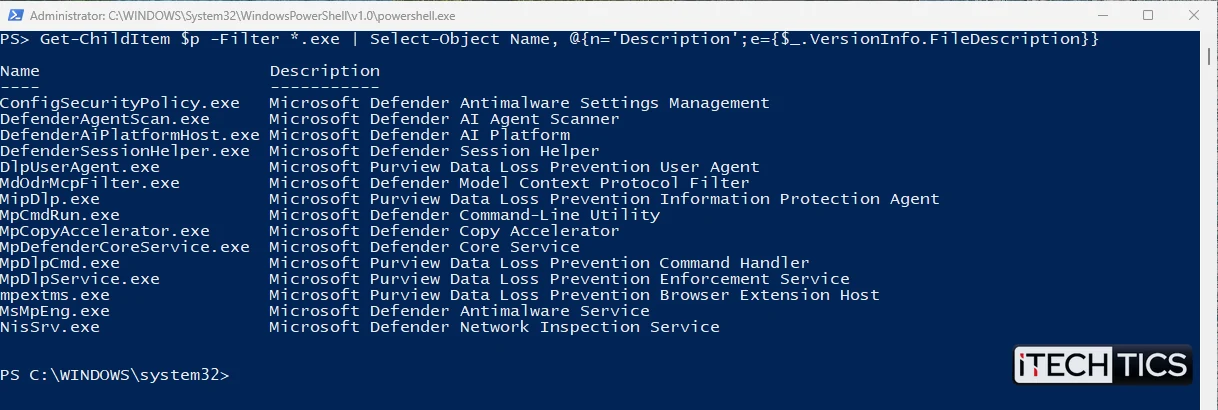
They match two features Microsoft is previewing for businesses:
- AI agent runtime protection checks what AI coding agents are asked to do and blocks prompt injection. Microsoft names Claude Code, Codex CLI and GitHub Copilot CLI as agents it can watch.
- Local AI agent discovery lists the AI agents and MCP servers (Model Context Protocol, the way AI agents connect to tools) installed on a company’s PCs.
Both are in preview and need Microsoft Defender for Endpoint Plan 2 or a Microsoft 365 E5-class licence, on PCs a company has enrolled (Microsoft). Microsoft’s pages don’t name the files; a third-party write-up of the preview identifies DefenderAgentScan.exe as the program the GitHub Copilot hook runs.
On my two home PCs, none of the three files was running, no service or scheduled task pointed to them, there were no AI agent policies in the registry, and the Defender for Endpoint service wasn’t installed. A Defender setting called EnableWdAiNiDrv was set to 0. Microsoft ships one Defender package to everyone, so home PCs carry the files for business features they don’t use. That’s how Defender has worked for years: the Purview data loss prevention programs in the same folder don’t run on home PCs either.
If you use AI coding tools at home: nothing in Defender is watching or blocking them through these features unless your PC is managed by an organisation that has turned them on.
Microsoft Defender Session Helper
This is the one new process you will see running. It runs in your own session, as your user account, rather than as SYSTEM like the other Defender processes, and used about 5 MB of memory on my PCs. Microsoft hasn’t documented it. It’s signed by Microsoft and lives in the same platform folder, and I saw no CPU use from it.
What hasn’t changed
- CPU and memory use. The renamed engine behaves the same. If it’s slowing your PC down, the causes and fixes I measured are in my Antimalware Service Executable guide.
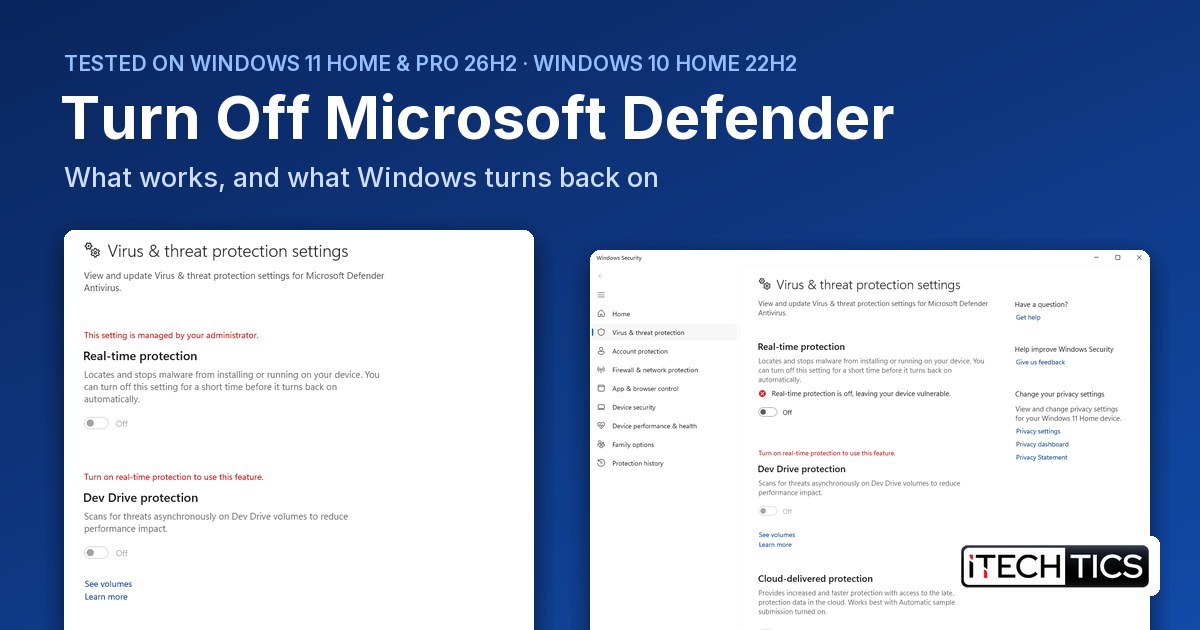
- Turning it off. You still can’t end it in Task Manager. The ways that actually work are in my Defender guide.
- The service names used in PowerShell and the Services app, such as
WinDefend.
How I checked this
On 29 November 2026 I read the file descriptions, versions and signatures of every program in Defender’s platform folder on two Hyper-V virtual machines: Windows 11 Home 26H2 (26300.9457) and Windows 10 Home 22H2 (19045.6456), both on Defender platform 4.18.26100.4 with security intelligence 1.463. I compared them with the copy that shipped with Windows (C:\Program Files\Windows Defender\) and with a clean-install checkpoint that still ran 4.18.25080.5. I checked running processes, services, scheduled tasks and the related registry keys, and took the screenshots in Task Manager. I didn’t test Windows 11 Pro or a PC enrolled in Defender for Endpoint.
If your Task Manager shows other new Defender names, or the old names on platform 4.18.26100 or later, tell me in the comments with your version from Windows Security > Settings > About.